





How do I upload my design or image?
Display visuals Team | May 7th 2026 | 0 min read
You can either upload your own design or create one using our templates — both options are quick and easy.
Option 1: Upload your own design
If you already have a design ready:
- Select your product and customize your options
- Click Upload Design
- Upload your file (PDF, JPG, PNG, etc.)
- Preview and submit your design
We support a wide range of file formats, including:
- PDF (recommended) — best for print-ready designs
- AI / EPS — ideal for vector graphics and logos
- JPG / PNG / TIFF — suitable for images and photos
- PSD / INDD / CDR / PUB — supported design files
For best results, we recommend using high-resolution files (300 DPI), but don’t worry — we’ll review your file before production.
Option 2: Start with a template
If you don’t have a finished design:
- Click Explore Templates
- Choose a design that fits your needs
- Customize text, images, and layout
- Preview and complete your design
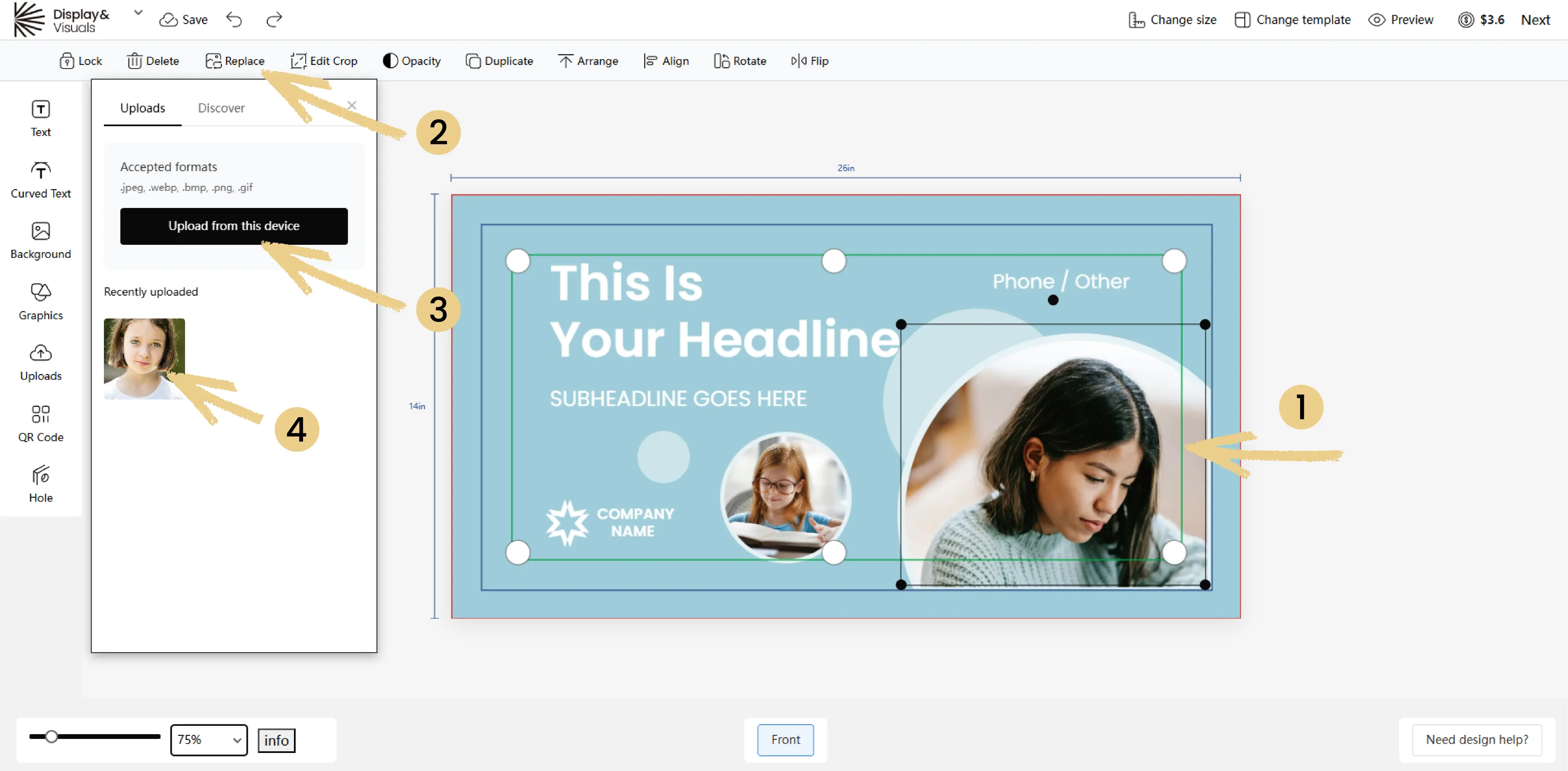
This is the easiest way to create a professional design without starting from scratch.
Which option should I choose?
- Use Upload Design if you have a print-ready file
- Use Templates if you want to create or edit a design quickly
Keep in touch
Get design inspiration, business tips and special offers straight to your inbox with our letter, out every two weeks.
Sign me up
share