





Why do certain colors look different after they print?
Display visuals Team | May 27th 2026 | 2 min read
Printed colors may look slightly different from what you see on your screen. This is a normal part of the printing process.
Why does this happen?
There are a few reasons for color differences:
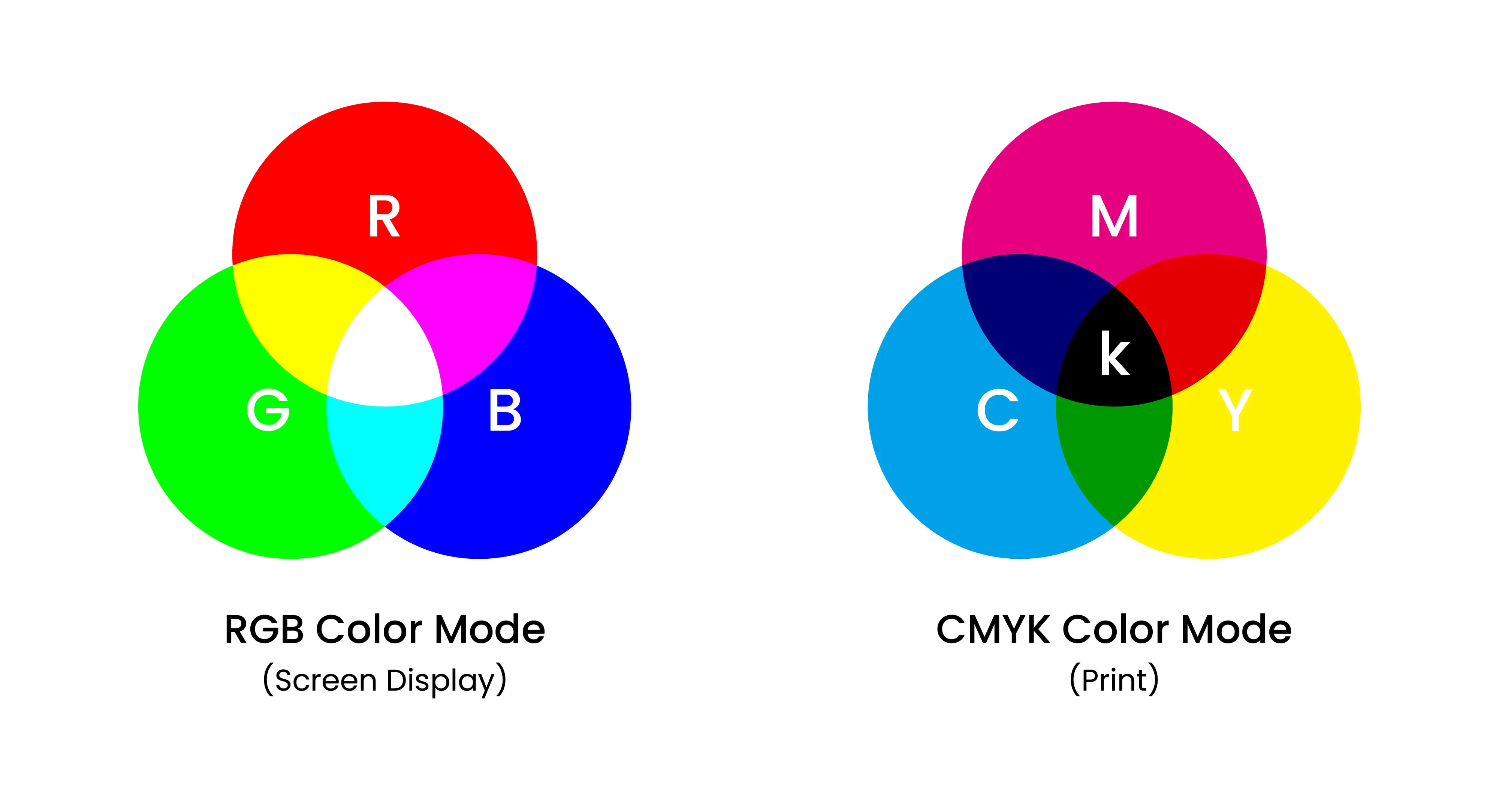
- Screens use RGB color, while printing uses CMYK inks
- Colors may appear brighter on screens due to backlighting
- Different materials (paper, fabric, vinyl) can affect how colors appear
- Lighting conditions can change how colors are perceived
Because of these factors, an exact match between screen and print is not always possible.
What should I expect?
- Most designs will print very close to what you see on screen
- Slight variations in color, brightness, or contrast are normal
- Dark or highly saturated colors may appear slightly different when printed
How can I get the best results?
To improve color accuracy, we recommend:
- Using high-quality, print-ready files
- Avoiding extremely bright or neon colors
- Designing in CMYK color mode when possible
- Ordering a sample or proof for critical projects
Do you guarantee exact color matching?
We aim to reproduce your design as accurately as possible, but exact color matching cannot be guaranteed due to differences in screens, materials, and printing processes.
Keep in touch
Get design inspiration, business tips and special offers straight to your inbox with our letter, out every two weeks.
Sign me up
share