





How do I change or reset my password?
Display visuals Team | May 5th 2026 | 0 min read
You can either change your password from your account settings or reset it if you’ve forgotten it.
Change your password (when you're signed in)
If you’re logged into your account:
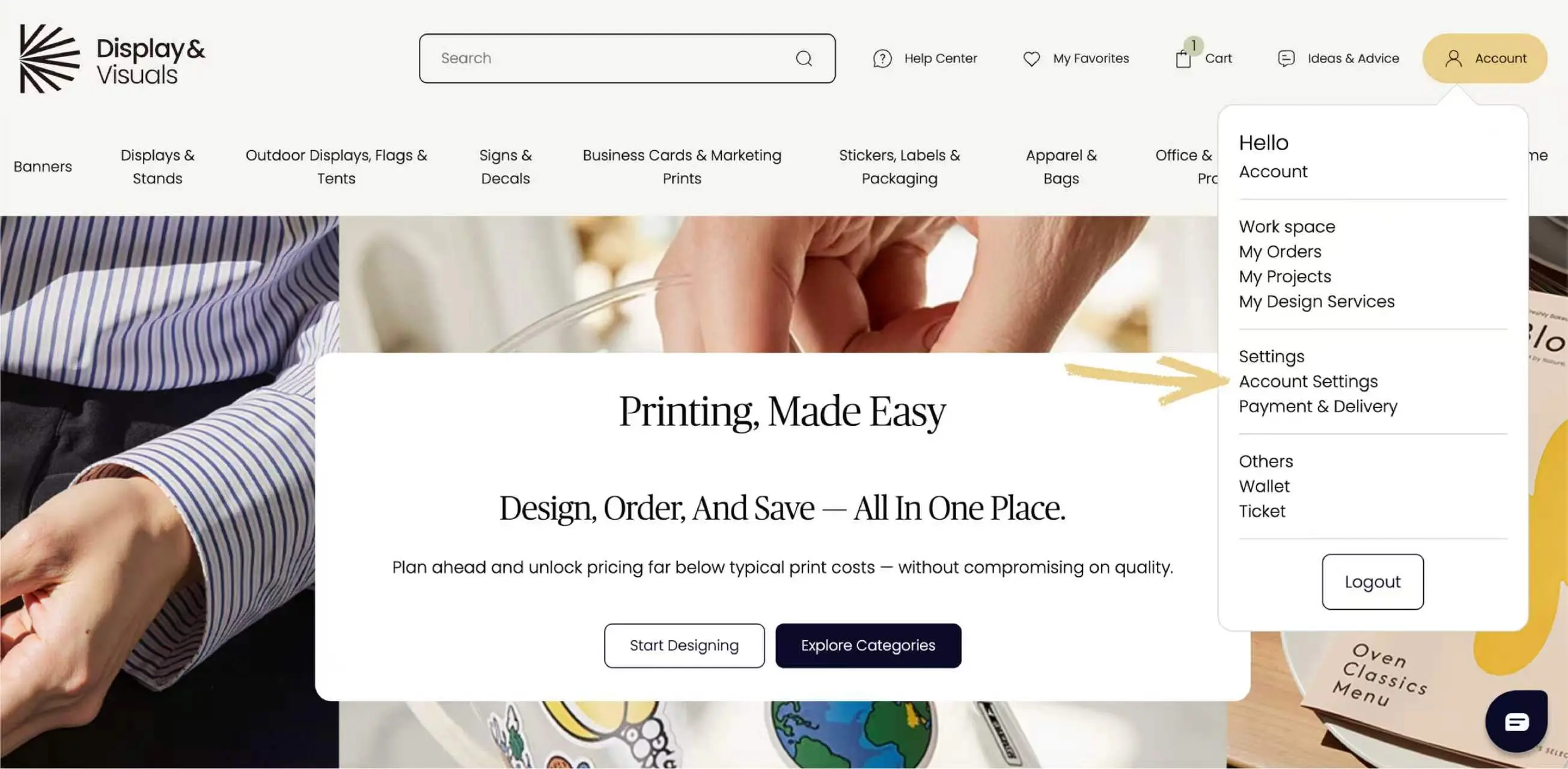
1. Go to your Account Settings
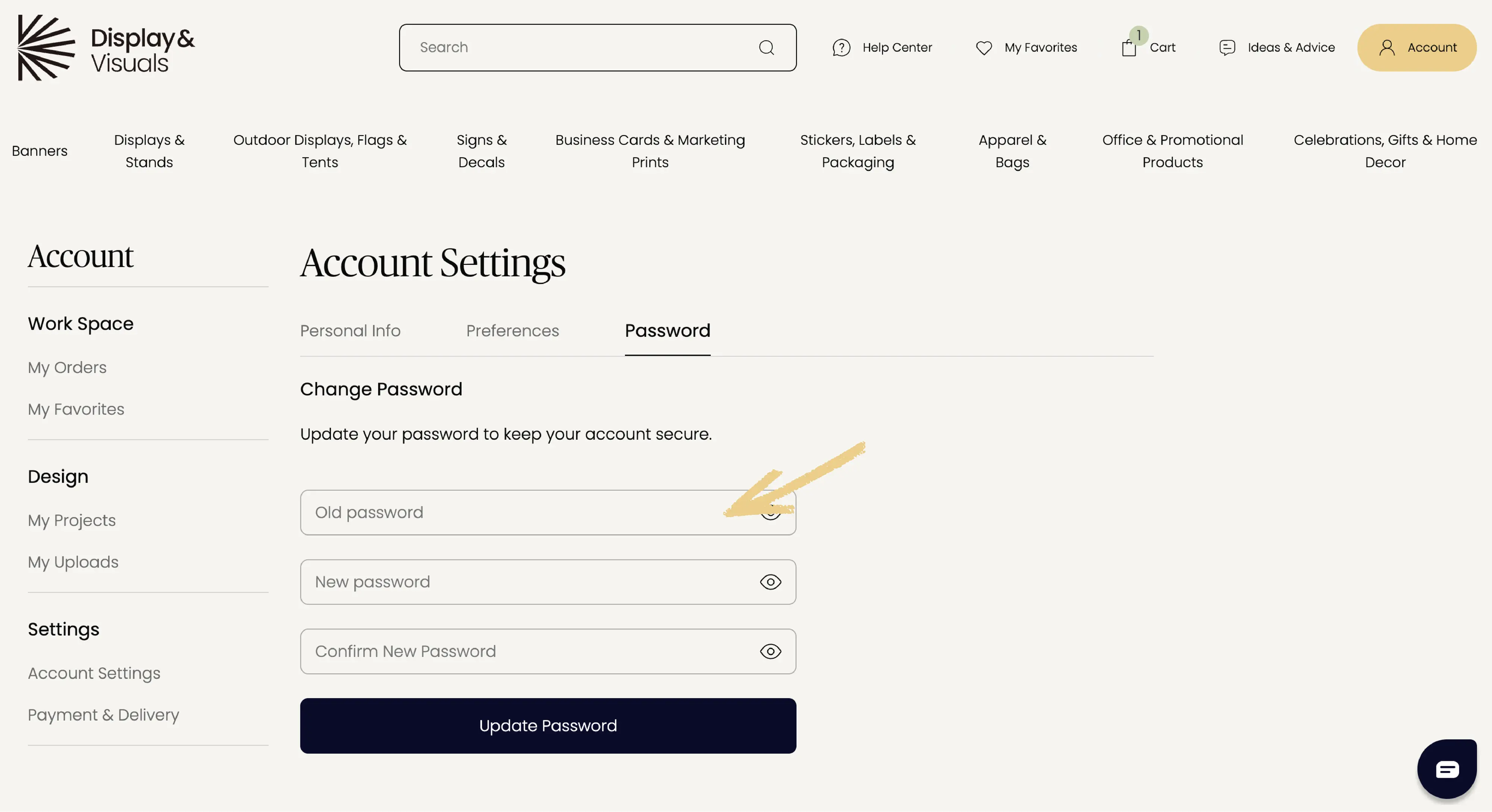
2. Select Password
3. Enter your current password
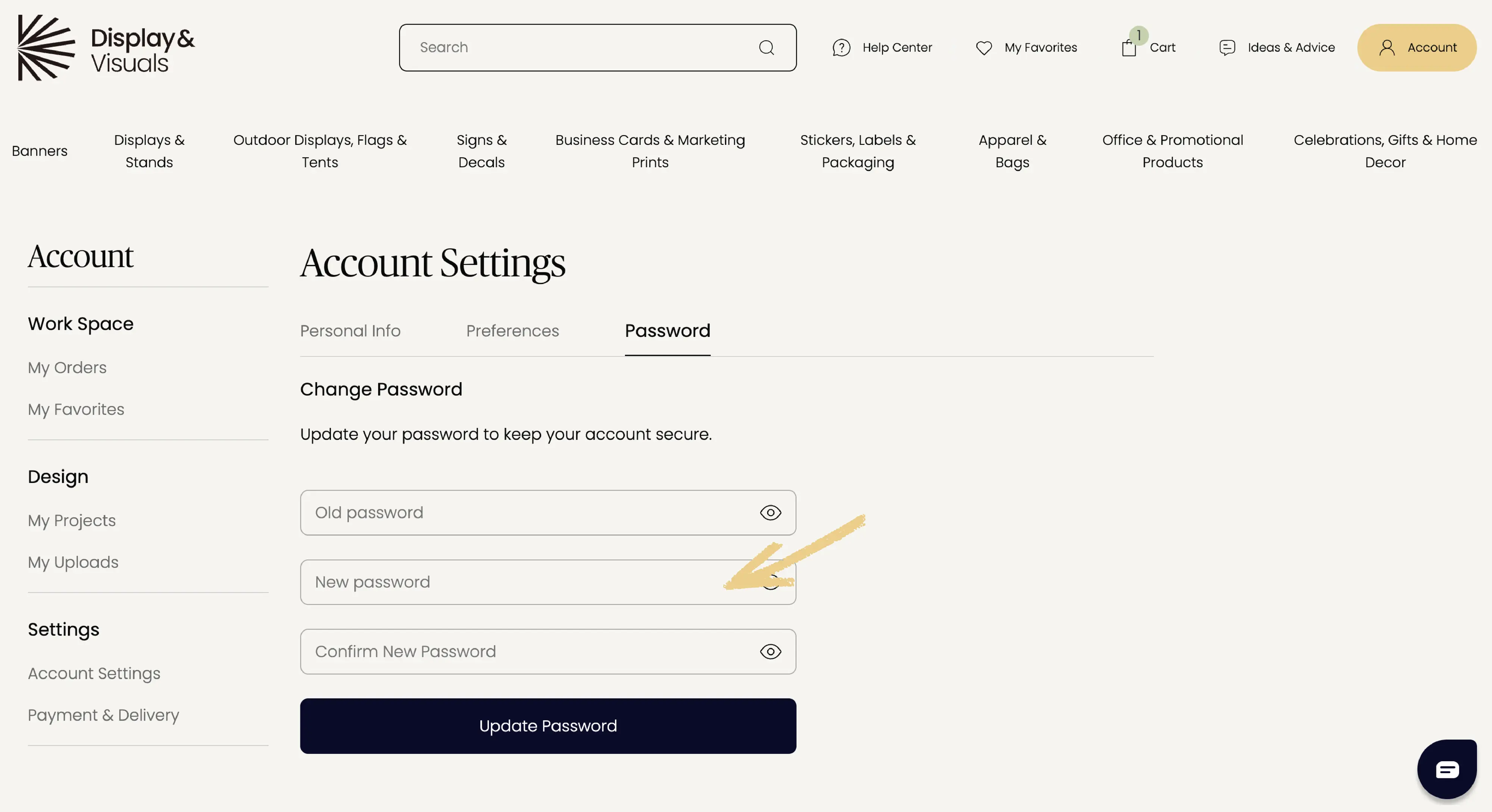
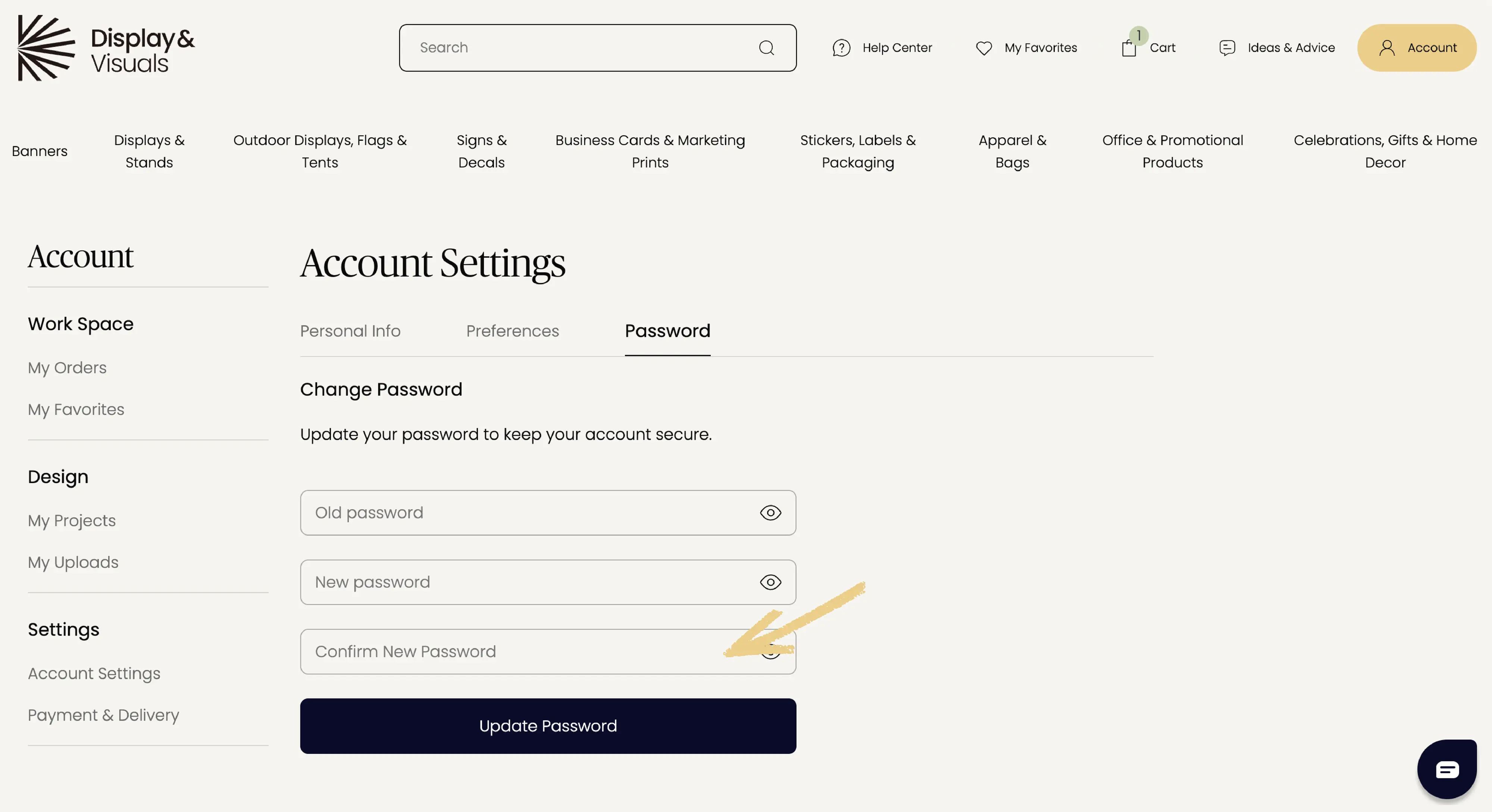
4. Set and confirm your new password
Reset your password (if you forgot it)
If you can’t sign in:
- Go to the Sign in page
- Click “Forgot password?”
- Enter the email address linked to your account
- Follow the reset link sent to your email
Keep in touch
Get design inspiration, business tips and special offers straight to your inbox with our letter, out every two weeks.
Sign me up
share